
Free
The app on your computer, with local models.
USD 0
- Agents on your computer
- Local models
- Mac and Windows
Agents with a name, memory and a trade that handle your email, your calendar and your messages, use the browser for you and hand you the finished document. They ask before anything important and keep working when you are away.
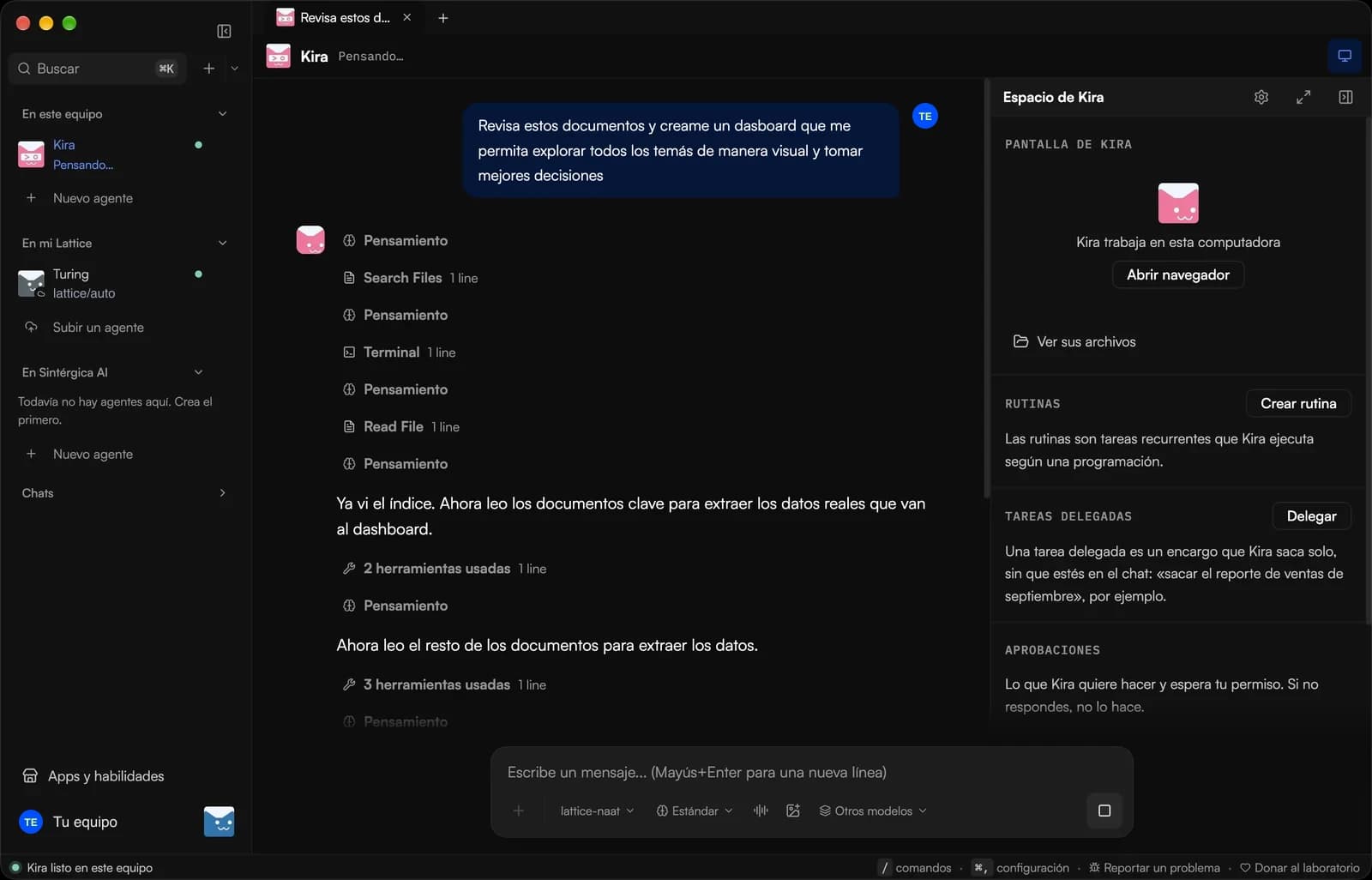
You ask a chat to help with your reports and it gives you instructions. You copy, paste, open the portal, download, rename and ask again. The agents that do act usually want a server, a terminal and a card billed in dollars.
Lattice Kaná is the other option: agents that finish the whole task, in an app you install like any other.
Enter your invite code in your Lattice account and download the app for Mac or Windows. The first time, a five-screen tour guides you.
Sign in with your Lattice account and use your cloud engine with nothing else to install, or install the engine on your computer.
Your first agent interviews you in the first chat: what you do, which tools you use and what you want done every week. From that it builds its persona and routines.
The app is free with models on your computer. Plans add cloud agents that keep working with your computer off, with model credits included.
The app on your computer, with local models.
USD 0
Your first cloud agents.
USD 30per month
For people who delegate work every day.
USD 100per month
To run a full team of agents.
USD 300per month
Credits cover cloud model usage. Extra usage is deducted from your account balance.
Is it for your organization? See Lattice for organizationsThree things a chat does not do: act, deliver and keep the routine.
When your agent uses the browser you see it in its own panel: where it clicks, what it types and which page it opens. If a sign-in is needed, you take control, log in and hand it back.
Your agent lives in the tools you already work in: your email, your calendar, your boards and your channels.
 GmailComing soon
 Google CalendarComing soon
 Google DriveComing soon
 Google SheetsComing soon
 Zoom
Zoom Trello
 Asana
Asana Notion
 HubSpot
 Slack
Slack WhatsApp
 Telegram
 Discord
 GitHub
 PostgreSQL
 Meta AdsComing soon
And more from Discover, without touching a config file. Those marked as coming are awaiting authorization.
The app is the same. What changes is where the engine runs.
| Comparison | On your computer | In the Lattice cloud | On your server |
|---|---|---|---|
| Who it is for | People who want to try it or keep everything on their machine | People who do not want to install or maintain anything | Organizations that set it up with us as a project |
| What you install | The app and the engine | Just the app | The app; the engine goes on your server and we set it up with you |
| Keeps working with your computer off | No | Yes | Yes |
| WhatsApp and Telegram | Not from Lattice | Yes, from your account | We set it up with you |
Started on your computer? With "Move to cloud" you upload your agent to Lattice with its persona, memory and skills.
Fill in the access request on this page. We review every request and, when there is room in the beta, we email you your code.
If you already have a code, enter it and download the app. If not, leave us your details and we will let you know when there is room.
Beta access
Sep 15 to Nov 13, 2026
Free on your computer · Mac and Windows · Spanish, English and Portuguese